2007-09-23 02:10:19 CEST

/dev/modem

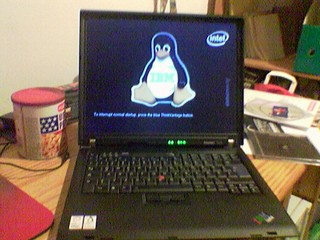
don't ask me why but yesterday & today I played with the modem on nerys (my thinkpad R60e). it's a conexant hsf softmodem or something like that, & it didn't really work with sl-modem-daemon which was installed but not activated.

in the end it was not that difficult: I grabbed hsfmodem-7.60.00.09full.tar.gz from the linuxant download page, detected the debdist target in their makefile, & after some swearing & fixing errors I got a .deb (no, I don't really know if it's different from the .deb offered there).

when installing the .deb a kernel module is built (so kernel-headers & stuff are necessary but they are here anyway). one reboot (hello?) later the module works. wvdial didn't like me but pppconfig/pon/poff worked (with an old account from technix.at).

no, I still don't know why I would actually need /dev/modem on my laptop :)

2007-09-18 22:55:55 CEST

next step

after P&P I've now also finished T&S 1 (the first part of the "tasks & skills" questions of my NM process.)

so far NM took me several hours of work but I enjoyed learning new things, I'm quite excited that it went rather smooth until now, & I'm looking forward to the next steps.

2007-09-15 00:04:05 CEST

does size matter?

I got an additional hard disk a few days ago (300 GB, IDE, PATA). today I finally took the time to remove the (empty) old 40 GB disk with the two uncorrectable sectors from my internal mobile rack & put the new disk in. after some hours of copying stuff around I now have my three disks set up as like this:
  • SATA 1: "system" (i.e. / /boot swap) — 160 GB
  • SATA 2: "data" (i.e. /home) — 250 GB
  • PATA: at the moment only backup of the first disk — 300 GB
hm, actually that's a huge amount of disk space. — sometimes I think back at the times when my father's first computer at his office (a 286, in 1987) had one hard disk with 20 _M_B; & it was half empty ...
gregoa@belanna:~$ df
Filesystem           1K-blocks      Used Available Use% Mounted on
/dev/hde3            152807104   9158584 135886316   7% /
tmpfs                   509460         0    509460   0% /lib/init/rw
udev                     10240        48     10192   1% /dev
tmpfs                   509460         4    509456   1% /dev/shm
/dev/hde1                45130     22914     19808  54% /boot
/dev/hdg1            240362656 106449076 121703780  47% /home
/dev/hda1            288435168  10465756 263317732   4% /mnt/hda1
gregoa@belanna:~$ 
oh, & when I finally deleted the backup of my moved home directory I accidentely deleted parts of my real homedir. grmpf. I think I could recover most of the deleted stuff from my laptop but still ... oh, & I also deleted my homedir on our flat server (& I don't know how exactly, it must still have been mounted somewhere). *sigh*

2007-08-28 08:39:37 CEST

one step further

I'm quite happy that I've completed the "philosophy and procedures check" — commonly referred to as P&P — of my new maintainer process. let's see what T&S (the "tasks and skills check") will bring.

2007-08-21 15:15:50 CEST

direct rendering

yesterday I realized that direct rendering (dri) is not working anymore on my xserver (checked as usual with glxinfo | grep -i direct).

the solution was:
Section "Device"
        Identifier    "Intel Corporation 82865G Integrated Graphics Controller"
        Driver        "intel"
        ...
        Option        "Cachelines"        "3582"
EndSection
& the most interesting part: all this fuzzing around for dri or the modlines is not the xserver's fault, not the monitor's fault, not the graphic card's fault — but it's necessary because there's a KVM-switch between the monitor & the machine. if I plug the monitor directly into the machine's vga-port I don't even need an xorg.conf.

2007-08-13 09:19:29 CEST

NM - takeoff

a few hours ago I was assigned an application manager for my new maintainer process (the path to becoming a Debian developer). — exciting :-)

2007-08-11 06:03:22 CEST

white brick

I got my fonera on monday, named her kes, had to reset her once 2 hours after connecting her (deleting too many files is no good idea), had no real luck with trying to convert her into a repeater — & today I bricked her (by trying to install a newer busybox package). the wlan led is dead, no wlan signals, no connect on the lan port, ... (resets didn't help, & a flashing lan led when the cat5 cable is connected doesn't help either.)

I guess the only solution involves a serial cable, & that's far beyond my capacities, therefore I hope that my friend & hausmasta chrisu will take this challenge :-)

btw: playing with the fonera firmware (based on openwrt) could be fun.

2007-07-26 19:58:24 CEST

factorials

inspired by albert's experiments I took his script, changed it a bit [0], & calculated the factorial of 30.000 on my two boxen.

results:
  • belanna: 46 seconds
  • nerys: 56 seconds
update 1: good old guinan needs 5 minutes & 3 seconds; still faster than chrisu's desktop machine :-)
& on our colleen the script takes 1 minute & 22 seconds to complete.

update 2: the new guinan takes 1 minute & 48 seconds. wow.

[0]
#!/bin/sh
[ "$#" != "1" ] && echo "Usage: $0 integer" && exit 1
STARTDATE=$(date)
echo "
define fac (x)
{
        res = 1
        while (x > 1)
        {
                res *=x;
                x -= 1;
        }
        return res;
}
fac ($1)
" | bc
ENDDATE=$(date)
echo "start: $STARTDATE"
echo "end: $ENDDATE"
exit 0

2007-07-26 17:59:17 CEST

forcing xserver-xorg-video-intel

if you have an intel graphic card & you are using the new intel X.org driver [0] instead of the old i810 one you might — like me — get the following errors in your /var/log/Xorg.0.log & only some strange resolutions:
(EE) intel(0): detecting sil164
(EE) intel(0): Unable to read from DVOI2C_E Slave 112.
(EE) intel(0): Unable to read from DVOI2C_E Slave 236.
(EE) intel(0): ivch: Unable to read register 0x00 from DVOI2C_B:04.
(EE) intel(0): Unable to read from DVOI2C_E Slave 112.
(EE) intel(0): tfp410 not detected got VID FFFFFFFF: from DVOI2C_E Slave 112.
(EE) AIGLX: Screen 0 is not DRI capable
the information in #434028 lead me to the following entries in my /etc/X11/xorg.conf:
Section "Monitor"
        ...
        # gtf 1280 1024 75
        # 1280x1024 @ 75.00 Hz (GTF) hsync: 80.17 kHz; pclk: 138.54 MHz
        Modeline "1280x1024_75.00"  138.54  1280 1368 1504 1728  1024 1025 1028
        Option          "PreferredMode" "1280x1024_75.00"
EndSection
& now my monitor is running on 1280x1024 again.

you might want to auto-adjust your monitor afterwards with the test image from nies.ch.

[0]
xserver-xorg-video-intel - X.Org X server -- Intel i8xx, i9xx display driver

2007-06-19 20:06:02 CEST

observations

having a laptop at hand & wireless around almost all the day; still not reading as much mails/postings/blogs/irc as at home.

I guess I have one of the largest & heaviest laptops & one of the smallest batteries.
Creative Commons License
All material on this blog — unless stated otherwise — is © gregor herrmann, and is licensed under the Creative Commons Attribution-Share Alike 3.0 Austria License.